Users & Roles
The Users & Roles section lets workspace administrators control who can access IntelliToggle, what they can do, and how invitations are managed across the organization.
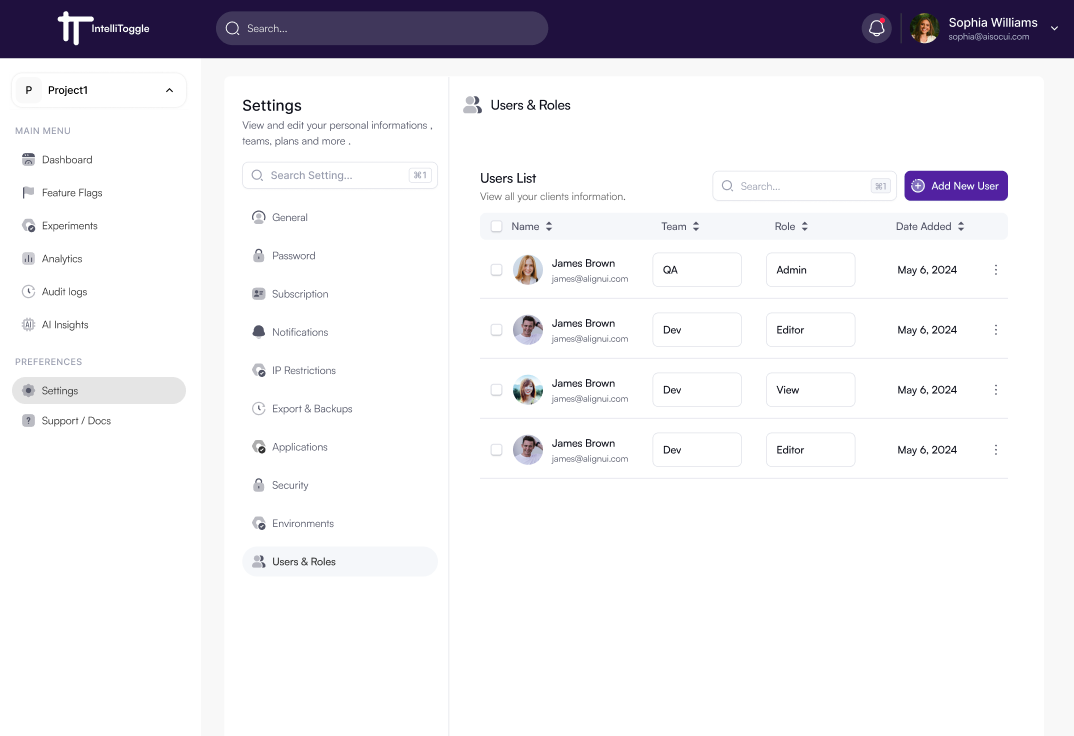
Inviting Users
-
Go to Settings → Users & Roles.
-
Click the Add New User button.
-
Enter the user’s email, choose the team, and assign a role.
-
Send the invitation so the user can join the organization securely.
-
Review pending invitations from the same workspace management flow.
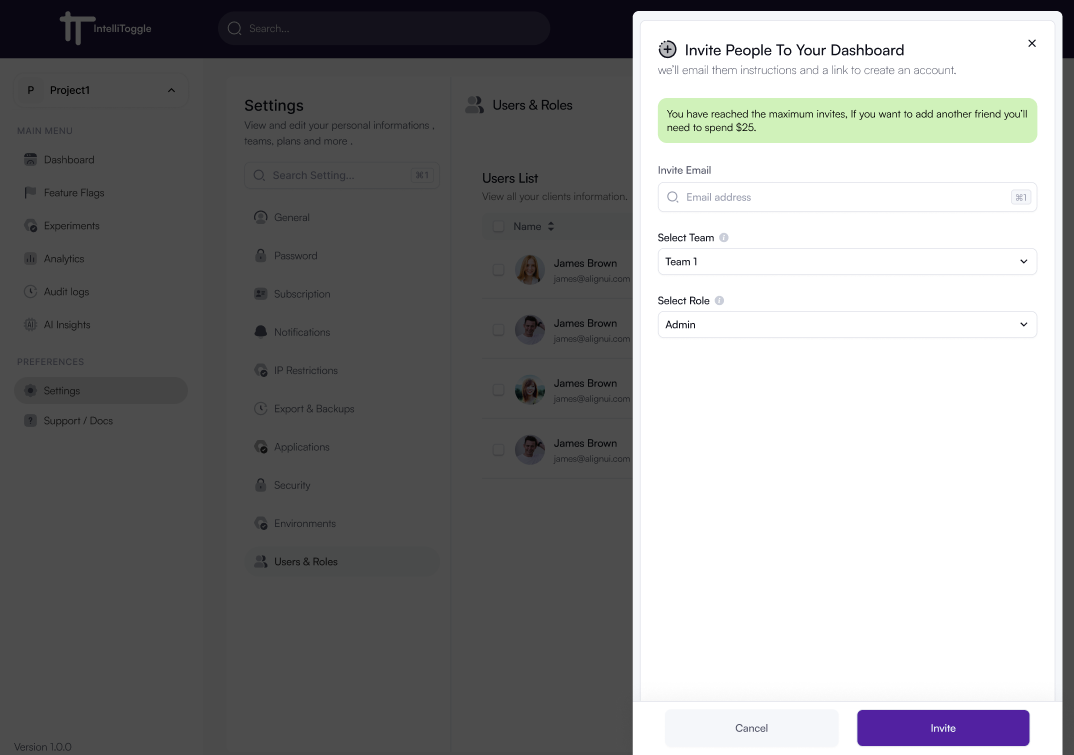
Invitation Lifecycle
IntelliToggle supports an invitation-based access model for controlled workspace onboarding.
-
Send invitations to new users before granting access.
-
Resend invitations when the original invite expires or is missed.
-
Remove pending invitations that should no longer be accepted.
-
Track accepted versus pending access as part of normal user management.
Roles
IntelliToggle supports role-based access control (RBAC). Common roles include:
-
Admin - Full access to projects, settings, users, and workspace actions.
-
Editor - Can create and manage feature flags, experiments, and analytics.
-
Viewer - Read-only access to dashboards, flags, and reports.
Custom roles may be available depending on your organization’s plan.