Applications
The Applications section lets you register and manage external apps that connect to IntelliToggle through the SDK or APIs.
Applications use OAuth2 Client Credentials. This is the supported machine-to-machine flow for backend services, workers, and server-side SDKs. It does not require redirect URLs.
Registering an Application
-
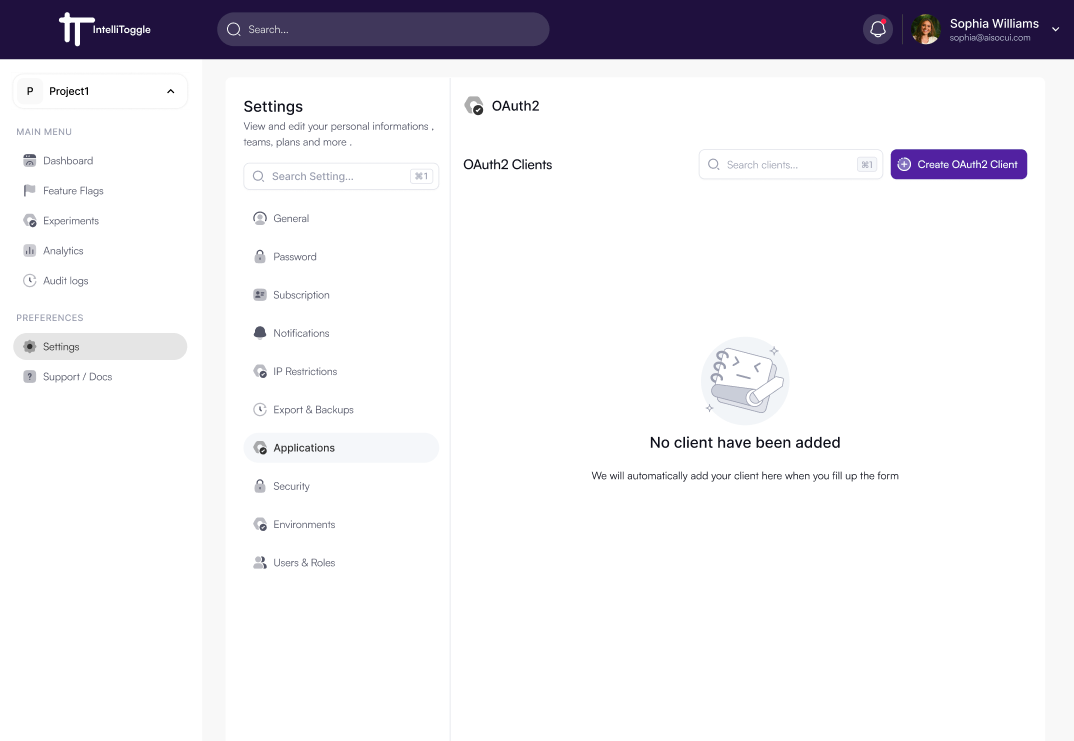
Go to Settings → Applications.
-
Click Create OAuth2 Client.
-
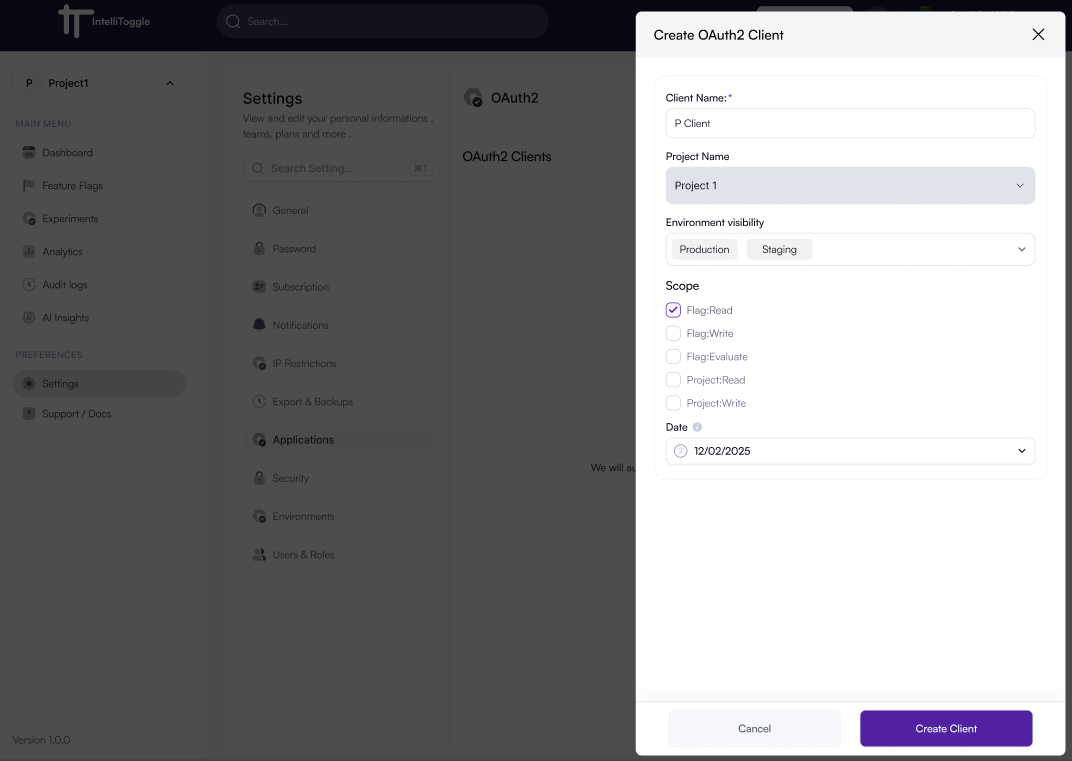
Provide:
-
Client Name
-
Project Name
-
Environment visibility such as development, staging, or production
-
Scopes
-
Expiration details
-
-
Click Create Client to generate credentials for integration.
-
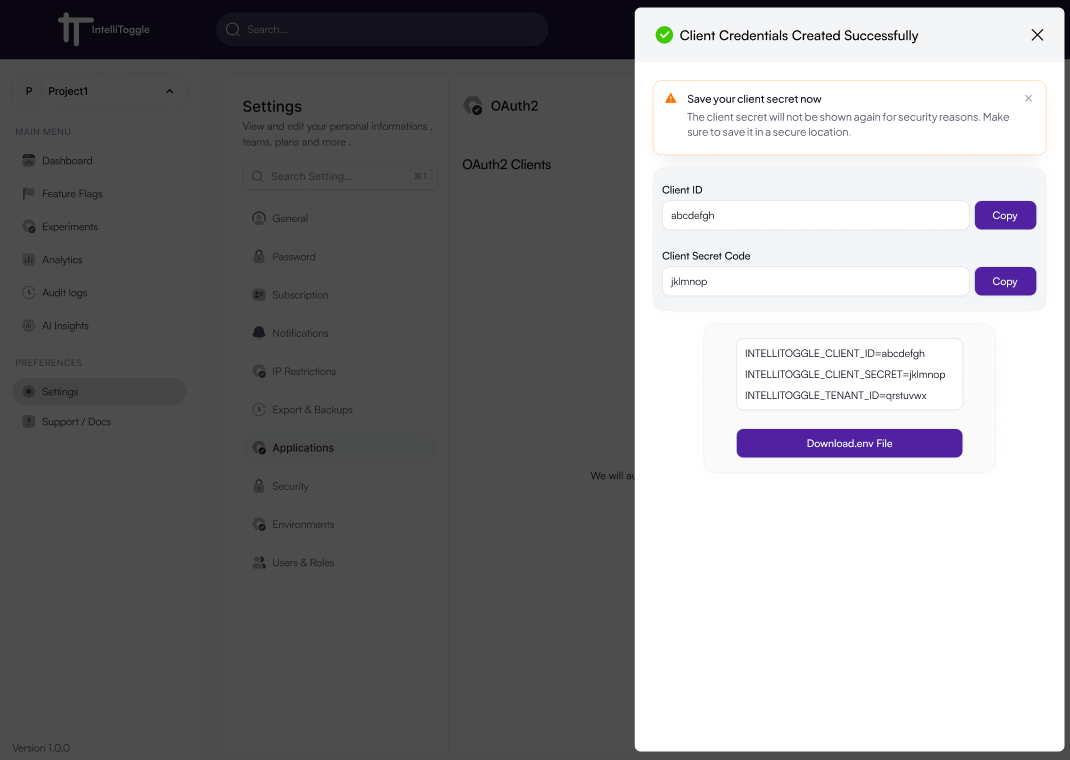
Copy the Client ID, Client Secret, and environment variables.
-
Store the secret outside source control. The secret is shown once.
SDK Integration
OAuth2 clients appear here immediately after creation. Active clients are shown by default so the integration list stays focused on clients that can currently issue tokens. Use Show inactive to review disabled or revoked clients for audit, recovery, or credential-rotation history. The Last Used value updates after the client successfully exchanges credentials for a token.
import 'package:openfeature_dart_server_sdk/openfeature_dart_server_sdk.dart';
import 'package:openfeature_provider_intellitoggle/openfeature_provider_intellitoggle.dart';

void main() async {
  final provider = IntelliToggleProvider(
    clientId: 'YOUR_CLIENT_ID',
    clientSecret: 'YOUR_CLIENT_SECRET',
    tenantId: 'YOUR_TENANT_ID',
    options: IntelliToggleOptions.production(),
  );

  await OpenFeatureAPI().setProvider(provider);

  final client = IntelliToggleClient(
    FeatureClient(
      metadata: ClientMetadata(name: 'my-service'),
      hookManager: HookManager(),
    ),
  );
}
Once the SDK authenticates successfully, the application will appear in the Applications list with metadata such as name, environment, and last activity.
Learn more in SDK Usage.
Managing Applications
From the Applications page you can:
-
Disable or re-enable clients
-
Revoke credentials for inactive or compromised apps
-
View recent activity for each application
-
Remove applications that no longer need access
To rotate a client secret, create a replacement OAuth2 client, deploy the new credentials to the consuming service, verify token issuance, then disable the old client. Disabled clients are hidden by default and can be reviewed with Show inactive.