Audit Logs
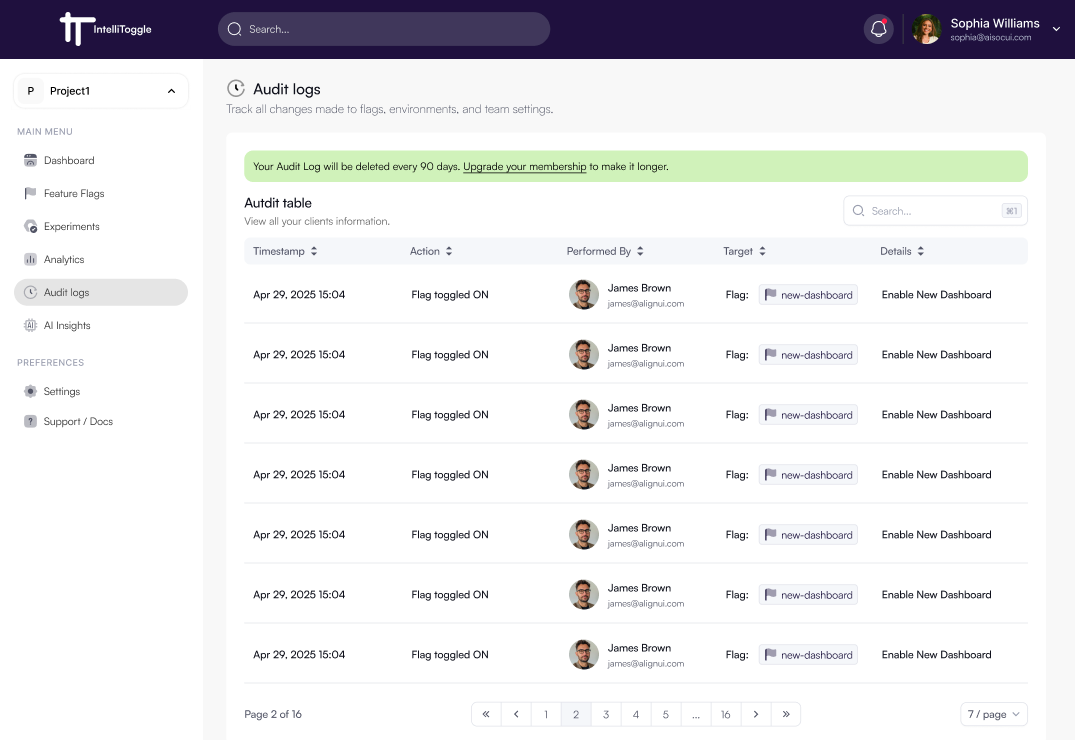
The Audit Logs section provides a detailed history of actions taken in your IntelliToggle workspace. It helps teams track changes, maintain compliance, and improve accountability.
What is Tracked?
Audit logs capture key events such as:
-
Feature flag creation, updates, and deletions
-
Experiment launches and modifications
-
User role assignments and permission changes
-
Application and OAuth client management events
-
Security-related actions such as logins and failed authentication attempts
Viewing Audit Logs
Navigate to Audit Logs from the sidebar menu to view a chronological list of events. Each entry includes:
-
Timestamp - When the action occurred
-
Performed By - Who performed the action
-
Action - What changed
-
Target - The affected resource
-
Details - Additional context about the change